Managed keys (KMS)
Managed keys let your application do its own encryption and signing with a key that seekrit stores but can never read. See Managed keys (KMS) for the model; this guide is the how-to. Everything below happens client-side — the key material never reaches the server.
Create a key
Creating a key generates its material locally and wraps it to you (a self-grant), so you can use it immediately.
# A symmetric key for application-layer encryption:
seekrit kms create --name payments-field-key --purpose encrypt

# A signing key (ECDSA P-256); its public key is published for verification:
seekrit kms create --name release-signer --purpose sign

# Scope a key to an app or group, and grant teammates up front:
seekrit kms create --name billing-key --purpose encrypt \
  --app billing --grant-user teammate@acme.dev --grant-token skt_ci…
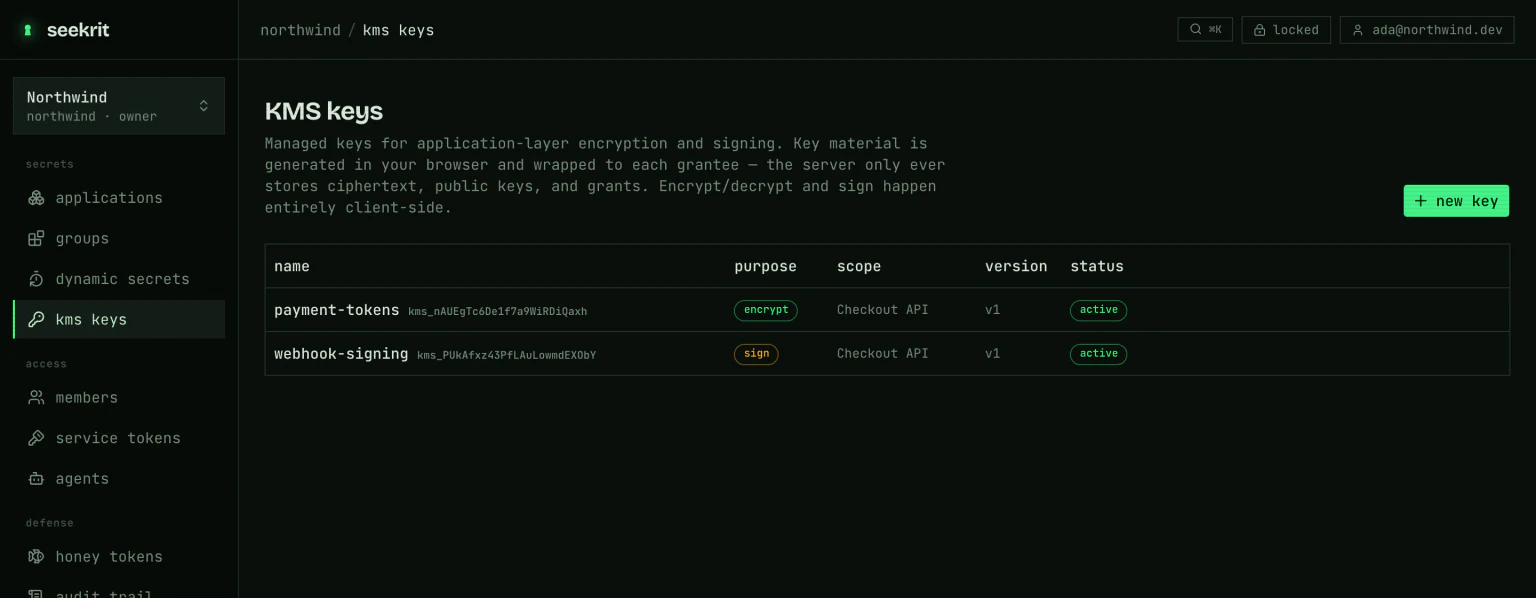
In the dashboard, open KMS keys in the sidebar and choose new key.
Encrypt & decrypt
# Encrypt stdin → a ce1 ciphertext blob:
echo -n "4111 1111 1111 1111" | seekrit kms encrypt --key payments-field-key > card.enc

# Decrypt it back:
seekrit kms decrypt --key payments-field-key < card.enc
Pass a matching --context to both sides to bind the ciphertext to where it
belongs — decrypt fails if the context differs:
echo -n "$SSN" | seekrit kms encrypt --key payments-field-key --context "field=ssn" > ssn.enc
seekrit kms decrypt --key payments-field-key --context "field=ssn" < ssn.enc
For large payloads, mint an envelope data key: seekrit kms generate-data-key --key <name> prints the plaintext key (base64) and its wrapped form; recover it
later with seekrit kms open-data-key --key <name>.
Sign & verify
# Sign a message → an sg1 signature:
echo -n "release-v1.2.3" | seekrit kms sign --key release-signer > release.sig

# Verify it (needs only the published public key — no grant):
echo -n "release-v1.2.3" | seekrit kms verify --key release-signer --signature "$(cat release.sig)"
Grant, rotate, revoke
seekrit kms grant  --key payments-field-key --user teammate@acme.dev
seekrit kms grant  --key payments-field-key --token skt_ci…
seekrit kms rotate --key payments-field-key   # new version, re-wrapped for every grantee
seekrit kms revoke --key payments-field-key --user teammate@acme.dev
seekrit kms disable --key payments-field-key  # block all use: encrypt, decrypt, sign, and new grants/rotations
seekrit kms delete  --key payments-field-key  # hide it from every listing; the name frees up for reuse
Rotation keeps old versions, so existing ciphertexts and signatures stay valid. Granting a new principal covers the current version onward. Deleting a key hides it everywhere and frees its name for reuse; the row and its versions are retained so existing ciphertexts and signatures still resolve, but the key can no longer be used.
From AI agents
The seekrit mcp server exposes the same operations as tools —
kms_list_keys, kms_create_key, kms_grant, kms_encrypt, kms_decrypt,
kms_generate_data_key, kms_sign, and kms_verify — so an agent can encrypt,
decrypt, and sign locally. Like every plaintext-producing tool, these run on the
agent's own machine; see AI agents.
Under user auth, any operation that unwraps key material (encrypt, decrypt,
sign, grant, rotate) needs your keyring unlocked — the CLI prompts, or set
SEEKRIT_PASSPHRASE. Verification needs no key at all.