Secrets your server
can never read.
seekrit is an end-to-end encrypted secrets manager for teams, machines, and AI agents. Keys are generated and used entirely on your side, so the backend — running on Cloudflare's global edge — only ever holds ciphertext. One command injects the right secrets everywhere your code runs.
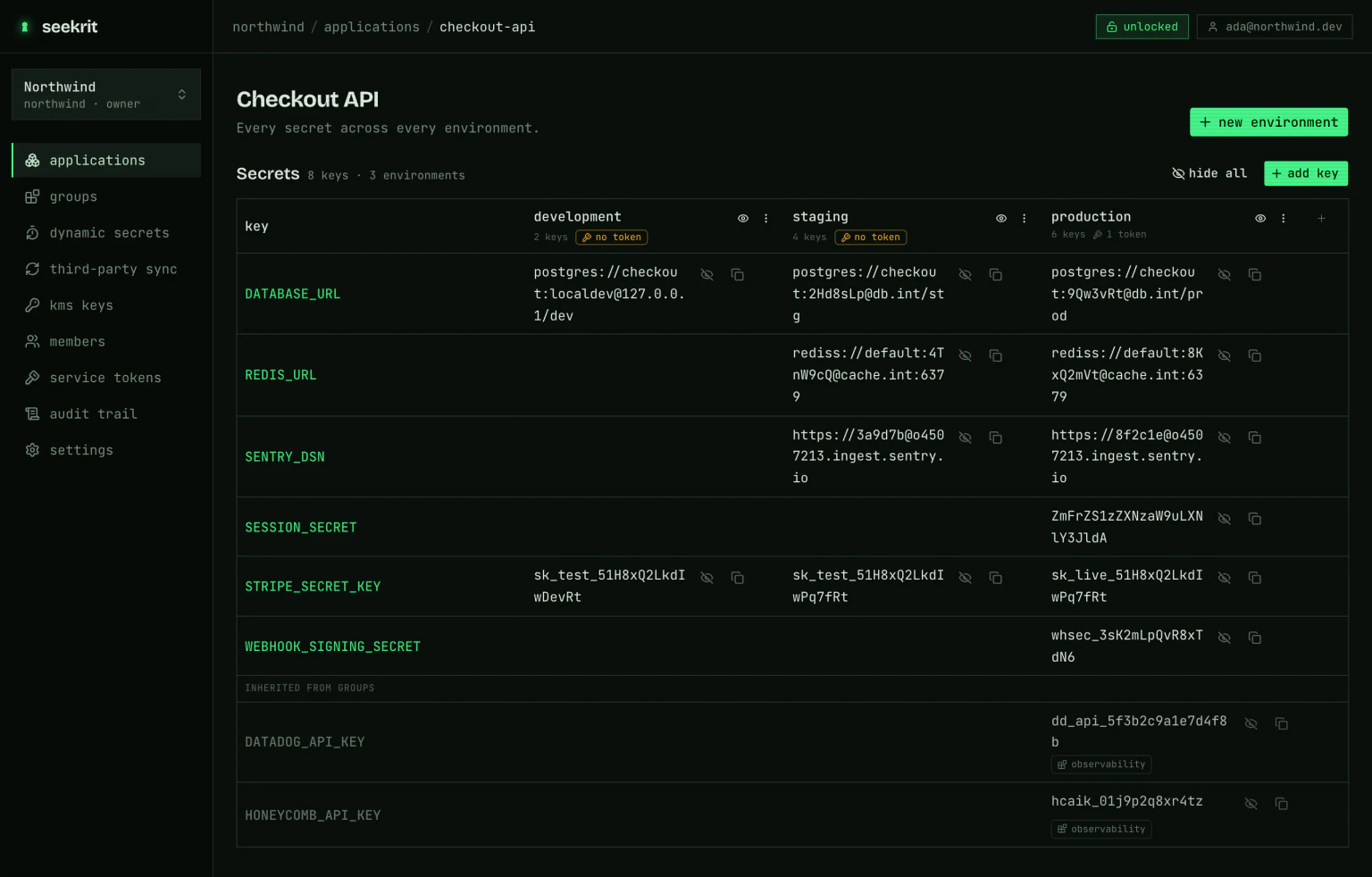
Every secret, every environment, one grid
The dashboard is the human side of the same key hierarchy: one row per secret name, one column per environment. Values arrive as ciphertext and are decrypted in your tab when you reveal them — the environment key is unwrapped locally with your private key, so the server hands over nothing it could read itself.
Give an AI agent secrets, not your secrets
Agents build, deploy, and run your code — which means they need real credentials. seekrit hands them the access without handing over the values, through a hosted MCP server an agent can self-register with and connect to in a single request — no human, no install.
A hosted MCP server, no install
seekrit runs an MCP server at mcp.seekrit.dev. An agent with no account POSTs /signup, gets a machine credential and a fresh org, and connects with HTTP Basic — no human, no browser, no toolchain.
One credential, two servers
The hosted server provisions and reads structure; a local server (npx -y @seekrit/mcp) does anything that touches a value. The same credential drives both, and they share one org — so they compose.
Secrets never touch the transcript
run_command injects decrypted secrets into a child process and returns only its output — and the crypto runs on the agent's machine, so zero-knowledge holds for agents too. The hosted server can never decrypt.
Built around one rule
Zero-knowledge
Secrets are encrypted in your browser or CLI before they ever leave the machine. The server stores ciphertext and nothing else — a full database dump reveals no secret values.
One key per environment
Every environment has its own AES-256 data key, wrapped individually to each member and service token. Grant or revoke access without touching a deployment.
Everywhere your app runs
Local dev, Docker builds, CI pipelines, Kubernetes, and ephemeral AI-agent sandboxes — one command injects the right environment, decrypted at the edge of your control.
Audited by default
Every read, write, grant, and revocation lands in an append-only trail with actor attribution. Nothing happens to a secret without a record.
How it works
Envelope encryption end to end. The passphrase, private keys, and plaintext secrets never reach the API.
- 01
Create in the browser
Generate a keypair protected by your passphrase, then spin up an org, app, and environment. The environment's data key is born in your tab and wrapped to your public key.
- 02
Encrypt client-side
Add secrets in the web dashboard. Each value is encrypted with the environment key locally; only the ciphertext is uploaded.
- 03
Decrypt anywhere
The CLI, service tokens, and AI agents unwrap the same key with their own private key — in CI, a container, or a sandbox — and hand plaintext only to your process.
Globally distributed, zero-knowledge, at any scale
Because encryption is the client's job, the server is stateless ciphertext storage — the easiest thing in the world to distribute. seekrit runs on Cloudflare's edge, so it scales from a single laptop to a fleet of agents with no infrastructure of your own.
Runs on the global edge
The API is a Cloudflare Worker served from Cloudflare's network worldwide, backed by managed Postgres over pooled, kept-warm connections. There is no cluster to run and nothing to operate — it's close to your workloads by default.
Reads are cached at the edge
Every container, CI job, and agent resolves its secrets on boot. Encrypted values and per-principal wrapped keys are cached at the edge — keyed per caller, so no two tenants ever share an entry.
From one dev to tens of thousands
A single org can drive tens of thousands of resolves a day without breaking a sweat. Any change purges only the affected environments, so caches stay correct without going stale.
Made for every runtime
Encrypt something secret.
Spin up the console, or wire the CLI into your pipeline in a few commands.